Overview
WooCommerce doesn’t offer the functionality of adding cross-sells out of the box, but as always, plugins are here to save the day. In this blog, we’re going to show you 10 cross-selling plugins you can add to boost your AOV in WooCommerce.
We’ve talked about Average Order Value (AOV) before, and how to add upsells to WooCommerce to get more out of your existing customers. Today, we’re going to add to that with cross-sells.
You don’t have to upsell someone to get more out of their order. Instead of moving them towards a product with a higher profit margin, simply intelligently suggest complimentary products along their product purchasing journey. Selling a camera? Offer accessories like extra batteries, chargers, carrying cases, or lenses. A laptop? Maybe they want headphones, a wireless mouse, and a messenger bag.
These can be manually curated, of course, but offering a ‘customers also bought’ section allows you to offer items that are often related automatically.
Cross-sells are especially useful if you’re trying to maintain a low-friction environment for your customers where they do not feel you’re trying to push them into something because it makes more money for you. In cases where it’s the type of important item that a typical customer puts a lot of research into their choice, they do not like to be told ‘you’re wrong, buy this’ after they’ve added it to the cart. Cross-sells are typically perceived as more gentle, and they are very common on larger retailers that customers are used to like Amazon. Upsells are like the floor salesman that’s on commission pressuring you to buy a bigger TV, cross-sells are like the fridge and snack rack back the checkout lane.
UpsellWP
UpsellWP allows you to add one-click upsells and cross-sells to WooCommerce. You can add them at any step throughout a customer’s journey. You can suggest related products on product pages, cart pages, checkout pages, and even post-purchase, enhancing the shopping experience and increasing AOV.
Features:
- One-click upsells and cross-sells
- Customizable offer pages
- Integration with popular page builders like Elementor
- Analytics to track conversion rates
Boost Sales for WooCommerce
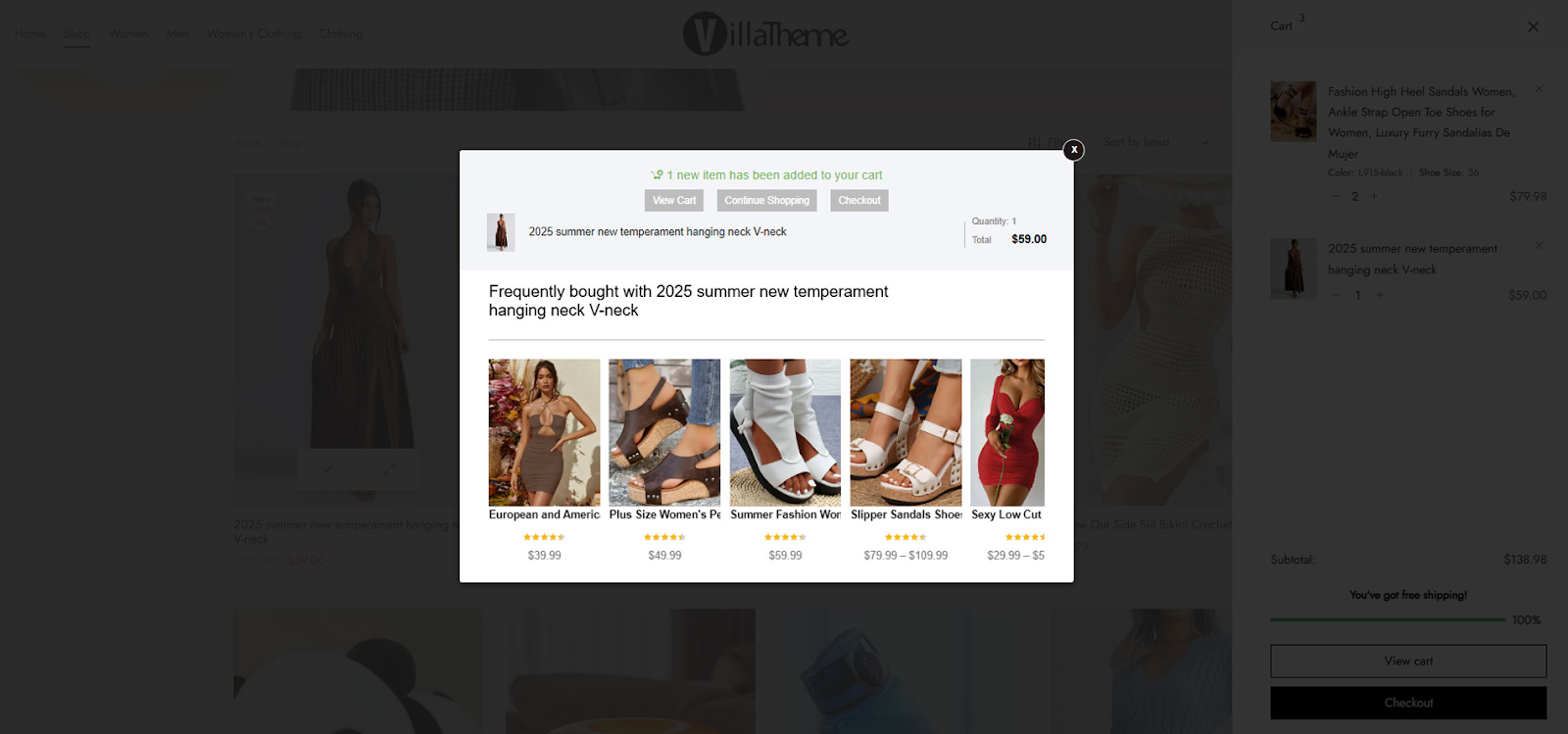
The hilariously literally named Boost Sales for WooCommerce is designed to increase your store's revenue by offering smart upsell and cross-sell suggestions. It allows you to display frequently bought together products and offer discounts on bundled items.
Features:
- Frequently Bought Together recommendations
- Bundle discounts
- Customizable display positions
- Responsive design for mobile users
Product Recommendations for WooCommerce
A plugin made by the Woo team, Product Recommendations for WooCommerce allows you to create intelligent upsells and cross-sells by creating your own rule-based recommendation engine.
.png?updated_at=2025-12-22T12:09:36.052Z)
This plugin uses “AI” to provide personalized product recommendations, enhancing the shopping experience and increasing the likelihood of additional purchases.
Features:
- Rule-based product recommendations
- Integration with WooCommerce's native features
- In-depth analytics
YITH WooCommerce Frequently Bought Together
YITH's plugin focuses on displaying products that are commonly purchased together, mimicking the successful strategy used by major eCommerce platforms.
.png?updated_at=2025-12-22T11:17:09.457Z)
Features:
- Manual and automatic product grouping
- Customizable layout and design
- Discount options for bundled products
- Shortcode support for flexible placement
Cart Upsell for WooCommerce
Cart Upsell is a very basic plugin focused on offering additional products right before the checkout process, targeting customers when they're most likely to add more items.
.png?updated_at=2025-12-18T03:41:06.177Z” alt=)
Features:
- Display upsell/cross-sell offers in the cart
- Set conditions based on cart contents
- Customizable offer messages
- Responsive design for all devices
Simplified Checkout
.png?updated_at=2025-12-18T03:41:09.200Z” alt=)
Simplified Checkout is a fully hosted, all-in-one checkout replacement for WooCommerce built to streamline and optimize the checkout process. Unlike traditional plugins, it completely replaces your existing checkout with a high-converting, customizable alternative- making it one of our top recommendations. With Simplified Checkout, you can place your cross-sells anywhere in the checkout process, the entire flow of which you determine using the flowboard, a visually editing tool for your checkout process.
Features:
- Drag-and-Drop, No Coding Checkout Builder
- 1-Click Upsells and Cross-Sells
- Product subscription support and management
- Integrates with many popular CRMs
- Built in fraud protection, bot detection, and order deduping
- Robust pixel integration options
- Ability to add more payment providers
- Included PCI compliant hosting
Smart Offers for WooCommerce
Smart Offers allows you to create dynamic and targeted offers, including cross-sells, upsells, and downsells, based on customer behavior and cart contents.
.png?updated_at=2025-12-18T03:41:05.609Z)
Features:
- Conditional offer triggers
- One-click offer acceptance
- Scheduling and automation
- A/B testing capabilities
Upsell Order Bump Offer for WooCommerce by WP Swings
This plugin is a full upsell, cross-sell, and product recommendation focused funnel builder for WooCommerce. This one covers all of the common bases like frequently bought together boxes, upsells when the user shows exit intent, and more.
.png?updated_at=2025-12-18T03:41:05.207Z)
Features:
- Order Bump Reports & Behaviour Analytics
- One-Click Post-Purchase Upsells
- Category or Product-based offers
- Trigger Pop-Up On Exit Intent
Automated Upsell Plugin for WooCommerce by Iconic
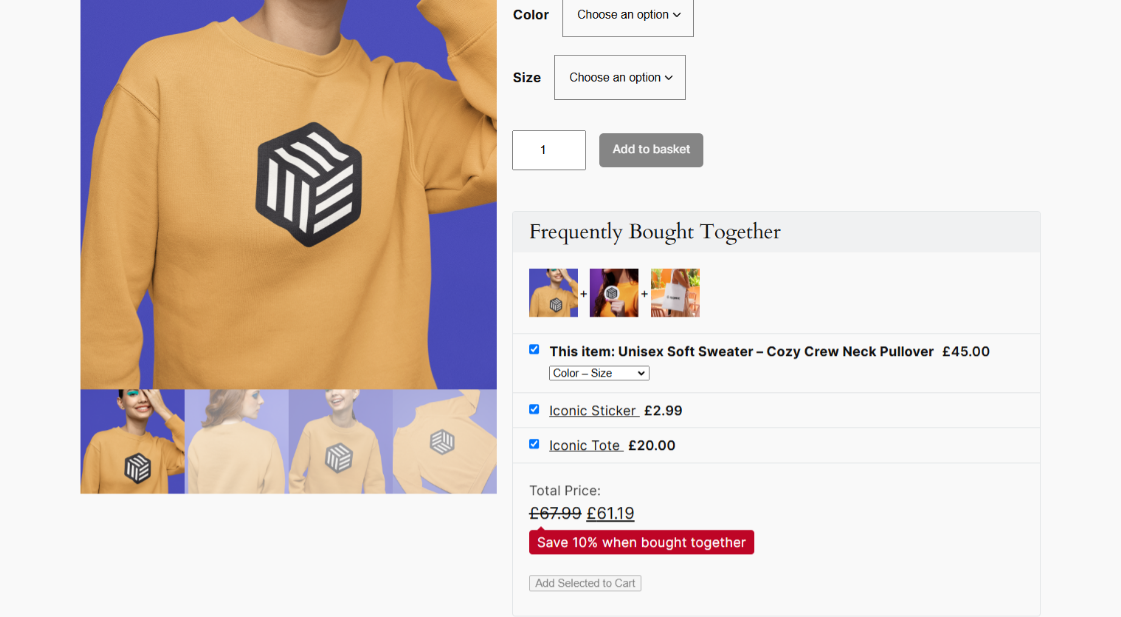
Known for clean UI and fast performance, this plugin lets you configure tailored cross-sell offers at multiple touchpoints- from product pages to the thank-you screen.
Features:
- Flexible placement rules
- Mobile-friendly popups and banners
- Integration with popular themes and builders
Conclusion
There are a lot of plugins out there to add cross-sells to WooCommerce, most of them offering upsells in the same package. Some are really basic, allowing you to add static offers to the checkout step, some are highly customizable, and some, like Simplified Checkout, rip out your entire checkout and replace it entirely with their own. You may want a more focused plugin that just does one thing, but if you need a lot of customization for your WooCommerce store, we suggest using one of these full feature plugins or checkout replacement systems for WooCommerce as one solid, well-supported solution is better than many distinct plugins that probably wont work well together and each have their own risks of not being updated or supported.

If you don’t see anything here you like for your store, you need a little more customization, or just need something here integrated for you, CodeClouds can help. Our expert WooCommerce developers have used almost all of the plugins listed in this blog before, as well as made our own custom solutions.


How can we help?
Tell us about your inquiry and we’ll get back to you as soon as we can.












 Kolkata (HQ)
 Fort Wayne
 Wellington
 Sydney